CRM Comparison Guide
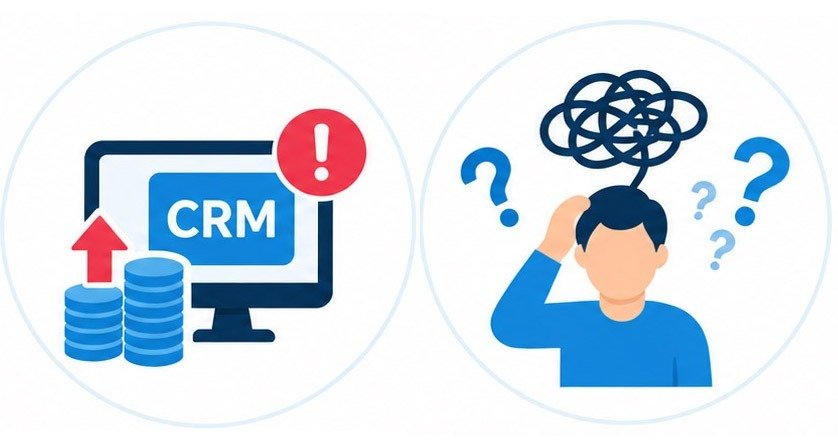
Too Many CRM Choices? SaNDAI Helps Clear the Fog.
There is no shortage of CRM platforms—and that abundance can make the decision harder, not easier. SaNDAI helps leaders cut through the noise, compare the tradeoffs, and focus on the systems that actually fit their organization.
CRM Comparison Guide
Too Many CRM Choices? SaNDAI Helps Clear the Fog.
There is no shortage of CRM platforms—and that abundance can make the decision harder, not easier. SaNDAI helps leaders cut through the noise, compare the tradeoffs, and focus on the systems that actually fit their organization.
CRM Market Comparison & Decision Clarity Guide
11 Popular CRM Platforms / Pricing / Ideal Users / Key Limitations / Best-Fit Guidance
HubSpot CRM
All-in-one platform for sales, marketing, customer service & CMS. Ideal for scaling teams wanting top-tier UI.
Free: $0/mo (up to 1k contacts); Starter: ~$15–$20/user/mo; Professional: ~$90/user/mo (+$800/mo base for marketing hubs)
Massive price cliff moving from Starter to Pro tier; expensive contact scaling fees; free tier includes HubSpot branding on forms/chats.
Best for scaling teams that want a polished all-in-one ecosystem and can absorb higher costs as they grow.
GoHighLevel (GHL)
All-in-one white-label marketing automation and sales engine. Ideal for agencies, local businesses, and SaaS resellers.
Starter: $97/mo (3 sub-accounts); Unlimited: $297/mo (unlimited sub-accounts & contacts); SaaS Pro: $497/mo
Steep learning curve due to massive feature density; UI feels crowded; native email/SMS uses usage-based carrier billing (LC Phone/Email) that adds up.
Best for organizations that want powerful funnels, automations, communications, and multi-account management in one platform.
Zoho CRM
High-customization & workflow automation value pack. Ideal for budget-conscious teams needing deep features.
Free: $0/mo (up to 3 users); Standard: ~$14/user/mo; Professional/Enterprise: $23–$40/user/mo
Outdated and clunky UI compared to HubSpot/Pipedrive; steep learning curve for custom modules and admin rules.
Best for budget-conscious teams that want deep customization and automation without enterprise-level pricing.
Pipedrive
Visual sales pipeline management. Ideal for sales teams focused strictly on closing deals.
No Free Tier (14-day trial); Essential: ~$14–$19/user/mo; Advanced/Pro: $34–$64/user/mo
Lacks native marketing automation or support ticket tools; add-on costs for web bots and bulk email features.
Best for sales-first teams that want a clean visual pipeline and minimal CRM complexity.
Salesforce Starter / Pro Suite
Entry-level Salesforce CRM packaging sales, marketing, and service. Ideal for small teams wanting the Salesforce ecosystem.
Starter Suite: $25/user/mo; Pro Suite: $100/user/mo; No free tier
Inherits complex admin overhead of enterprise Salesforce; strict 10-user limit on Starter tier forces a steep jump to $100/user/mo.
Best for teams that expect to grow into the broader Salesforce ecosystem and can support more complex administration.
monday.com CRM
Sales CRM built on top of project management. Ideal for teams managing post-sale execution and projects.
Basic: ~$12–$15/user/mo (min 3 seats); Standard/Pro: $20–$33/user/mo
Fixed seat-bucket billing forces buying seats in increments (e.g. 3, 5, 10); monthly automation triggers are capped on lower tiers.
Best for teams that want CRM plus project and post-sale delivery visibility in one workspace.
Freshsales (by Freshworks)
AI-powered sales CRM with built-in VoIP calling and messaging. Ideal for multi-channel sales teams.
Free: $0/mo (up to 3 users); Growth: ~$9–$15/user/mo; Pro: ~$39/user/mo
Freddy AI features require upgrading to $39/seat Pro tier; smaller third-party app integration library compared to competitors.
Best for multi-channel sales teams that want calling, messaging, and CRM capabilities in one platform.
Close CRM
High-volume sales engagement with automated power dialers and SMS. Ideal for cold outreach & outbound teams.
Solo/Essentials: ~$19–$49/user/mo; Growth: ~$99/user/mo; Enterprise: ~$149/user/mo
Expensive starting price point; purely focused on outbound sales with weak post-sale account management or marketing capabilities.
Best for outbound-heavy teams that prioritize dialing, SMS, and sales engagement over broad CRM functionality.
EngageBay
Budget-friendly all-in-one alternative to HubSpot combining sales, marketing & live chat.
Free: $0/mo (up to 250 contacts); Basic: ~$14.99/user/mo; Pro: ~$49–$65/user/mo
Design templates and interface feel dated; lower email deliverability reputation and performance lags on large contact databases.
Best for smaller teams seeking a lower-cost all-in-one sales and marketing toolkit.
Insightly
Combines sales CRM with post-sale project management. Ideal for agencies and service-based businesses.
Plus: ~$29/user/mo; Professional: ~$49/user/mo; Enterprise: ~$99/user/mo; No free tier
No native marketing suite (requires purchasing separate Insightly Marketing add-on); higher entry price point ($29/user/mo).
Best for agencies and service organizations that need CRM plus structured project handoff after the sale.
Capsule CRM
Lightweight relationship and pipeline management. Ideal for freelancers, consultants, and small service firms.
Free: $0/mo (up to 250 contacts, 2 users); Starter: ~$18–$21/user/mo; Growth: ~$38/user/mo
Workflow automations require the $38/user Growth tier; basic reporting and forecasting capabilities compared to alternatives.
Best for freelancers, consultants, and smaller service organizations that want a simple CRM with low admin overhead.

The problem is not finding a CRM. It is knowing which one deserves your attention.
A CRM should support your real processes—not force your staff to redesign everything around the software. Before choosing a platform, think about who will use it, what must be automated, what systems need to connect, and how much complexity your team can realistically manage.
There are more CRM choices than most leaders should have to evaluate alone.
HubSpot, GoHighLevel, Zoho, Pipedrive, Salesforce, monday.com, Freshsales, Close, EngageBay, Insightly, Capsule—and many more—can all look attractive depending on which feature list or promotional offer you are viewing. The difficulty is determining which differences actually matter to your organization.